3 · Vision / Quick guide
Images and pretrained models
Prepare images consistently, use controlled augmentation and noise, and adapt pretrained features to your classes.
Uses the same loop from Fundamentals and the validation rules from Training. Here the extra decisions are image preprocessing, output type and which layers to train.
How it works
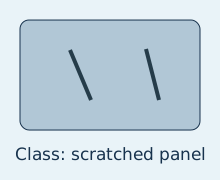
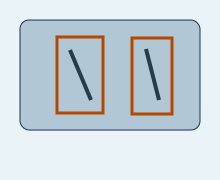
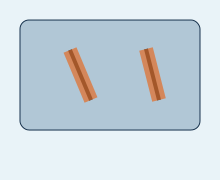
Original illustrative annotations, not predictions from a trained model.
backbone frozen / new head learnskeep backbone BatchNorm statistics fixedlate block + head learninclude newly unfrozen parameters in optimizerall pretrained layers learnhigher backward and optimizer costIllustration: shapes and operations, not measured model performance.
A vision pipeline reads an image, applies training variation, converts it to a tensor, and normalizes it for the chosen model. Validation uses stable preprocessing so changing augmentations do not change the comparison.
Classification returns [N,K] scores; detection returns boxes, labels and scores per image; segmentation returns [N,K,H,W] pixel scores. Drawing a box or mask displays an existing prediction.
Code and functions
| Function / setting | What it does | What to check |
|---|---|---|
ImageFolder | Build a dataset from class folders. | Save the class-to-ID map; train/validation folder sets must agree. |
ToTensor / Normalize | Convert typical byte images to 0–1 floats, then standardize channels. | Tensor shape is [C,H,W]. Negative normalized values are expected. |
RandomResizedCrop / ColorJitter | Add geometry or colour variation. | Inspect samples; the transformed image must still justify its original label. |
weights.transforms() | Use preprocessing associated with pretrained weights. | Keep it with the model for validation and inference. |
requires_grad_(False) | Stop gradients for selected parameters. | It does not freeze BatchNorm statistics or eliminate backbone forward computation. |
model.fc = nn.Linear(...) | Replace a ResNet classification head. | Use your class count and optimize the new head; other architectures use other paths. |
from torchvision.models import resnet18, ResNet18_Weights

weights = ResNet18_Weights.DEFAULT
model = resnet18(weights=weights)
model.requires_grad_(False)
model.fc = torch.nn.Linear(model.fc.in_features, num_classes)
optimizer = torch.optim.Adam(model.fc.parameters(), lr=1e-3)
# For head-only training with fixed backbone statistics:
model.eval()
model.fc.train()
Start by training the head. If validation warrants it, unfreeze selected late blocks at a smaller learning rate and rebuild the optimizer. Full fine-tuning updates every layer.
Check your understanding
Salt and pepper noise replaces selected pixels with black or white. This is the custom noise used in the course. Gaussian noise adds fluctuations; camera shot noise depends on signal intensity. These are different mechanisms; a simple transform only approximates part of camera behaviour.
For a float-tensor noise transform: convert to 0–1 → add noise → normalize. Keep ordinary validation clean and deterministic. A separate noisy validation set tests robustness.
Recall check: would you horizontally flip text or rotate a “6” into a “9”? An augmentation is only useful when the label remains valid.
Common mistakes
- Changing a shared dataset transform and accidentally augmenting validation too.
- Using an ImageNet class name after replacing the head with your own classes.
- Freezing parameters but continuing to update backbone BatchNorm statistics.
- Adding so much noise that the class evidence disappears.
- Saving only weights without the class order and preprocessing needed to interpret them.