1 · Fundamentals / Quick guide
Tensors and the training loop
Understand what enters a PyTorch model, how its weights change, and how to check its predictions.
This is the foundation for the other three guides. Training changes the experiment settings; Vision and Text change how the input is represented.
How it works
Two samples
x = [[1,2],[3,4]]shape [2,2]Model
logits [[2,0],[0,2]]w = [[−4,3],[2,−1]]; x @ w.T; targets [0,1]Loss
CE ≈ 0.1269one differentiable scalarGradients
grad = [[.119,.119],[−.119,−.119]]backward computes these; weights stay fixedUpdate
w ← w − 0.1 × gradfirst row becomes [−4.0119, 2.9881]Illustrative values: a classifier receives two samples and returns two scores per sample. The cross-entropy shown is calculated from these logits, not a training benchmark.
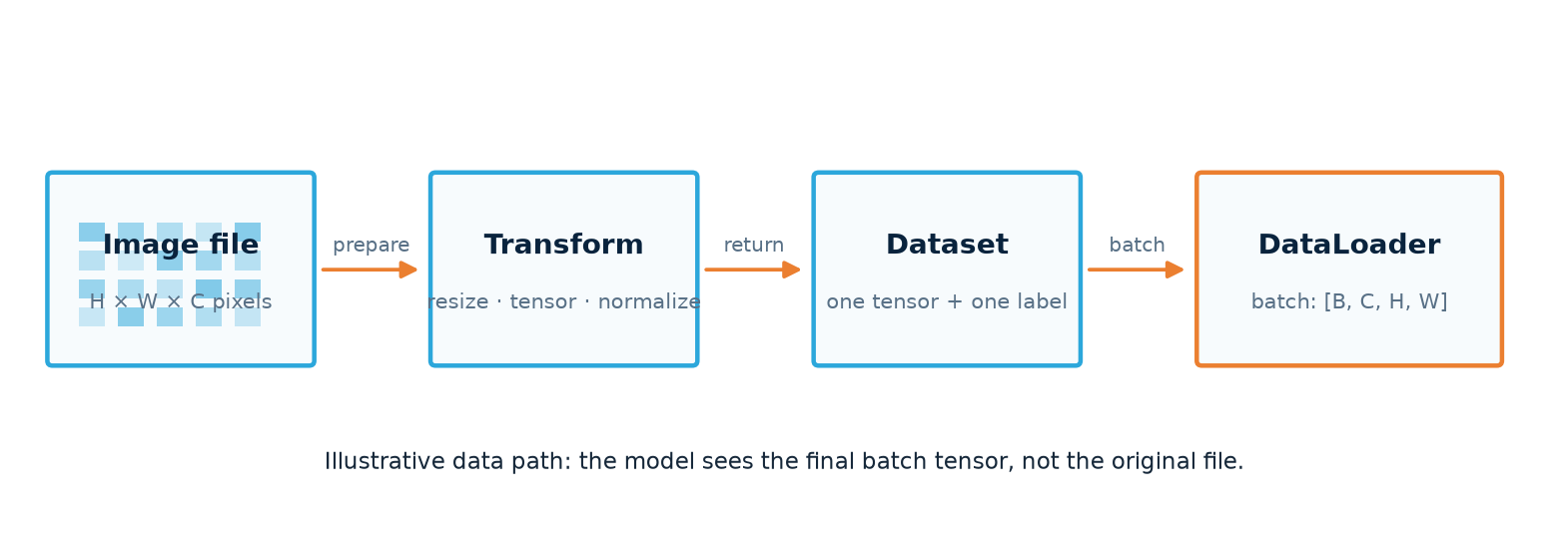
A model learns by repeatedly predicting a batch, measuring error, and changing its weights. A Dataset supplies one sample and label; a DataLoader groups them. Select a stage to see its job.
Code and functions
| Function / setting | What it does | What to check |
|---|---|---|
shape / dtype / device | Describe tensor layout, number type and location. | Images: [N,C,H,W]; class IDs: long; model and input on the same device. |
nn.Module / Linear / ReLU | Define trainable layers and nonlinear features. | Stacked linear layers alone still describe a linear map. ReLU zeros negative hidden values. |
CrossEntropyLoss | Compare raw class scores with correct IDs. | Logits [N,K] and targets [N]. Do not add softmax first. |
backward / optimizer.step | Compute gradients, then update weights. | Clear old gradients before each ordinary batch update. |
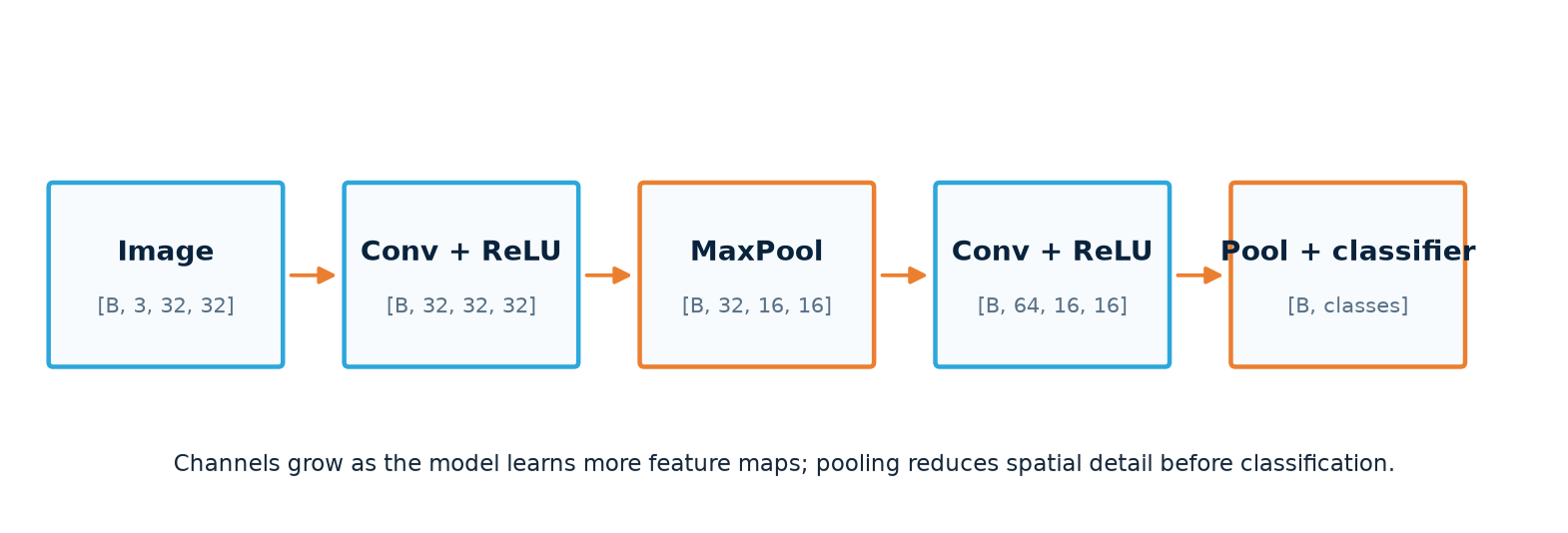
Conv2d / MaxPool2d / Flatten | Extract local features, reduce spatial size, prepare a head. | Trace channels, height and width before choosing a linear input size. |
eval / no_grad | Switch layer behavior and disable gradient recording. | Both are needed for ordinary validation; neither performs a weight update. |
One classification training batch · inside an epoch
model.train()
for images, labels in train_loader:
    images, labels = images.to(device), labels.to(device)
    optimizer.zero_grad(set_to_none=True)
    logits = model(images)
    loss = loss_fn(logits, labels)
    loss.backward()
    optimizer.step()
The architecture, loaders, optimizer and loss are prepared first. This excerpt shows their order inside training; it is not a standalone script.
Check your understanding
Use these tools to check batch counts, pooling and compatible shapes. The adjustable loss curves are illustrative; they are not measured training results.
CNN shape tracer
Broadcasting checker
Generalization curves
Common mistakes
- Confusing a sample and a batch: an RGB sample is
[3,H,W]; a batch addsNin front. - Assuming ReLU forbids negative predictions: a later linear output can still be negative.
- Trusting training loss alone: if training improves while validation worsens, check overfitting and split leakage.
- Guessing CNN dimensions: each 2× pooling stage roughly halves height and width; verify the actual output shape.